

An online system in the browser
Sivan Plus For the driving school
One school. The whole team.
Instructors, managers and office staff work together in one system, in the browser: a shared calendar, student files, payments and expenses, and permissions by role.
- In the browser: on computer, tablet and phone
- Permissions by role
- Hebrew, Arabic, Russian and English
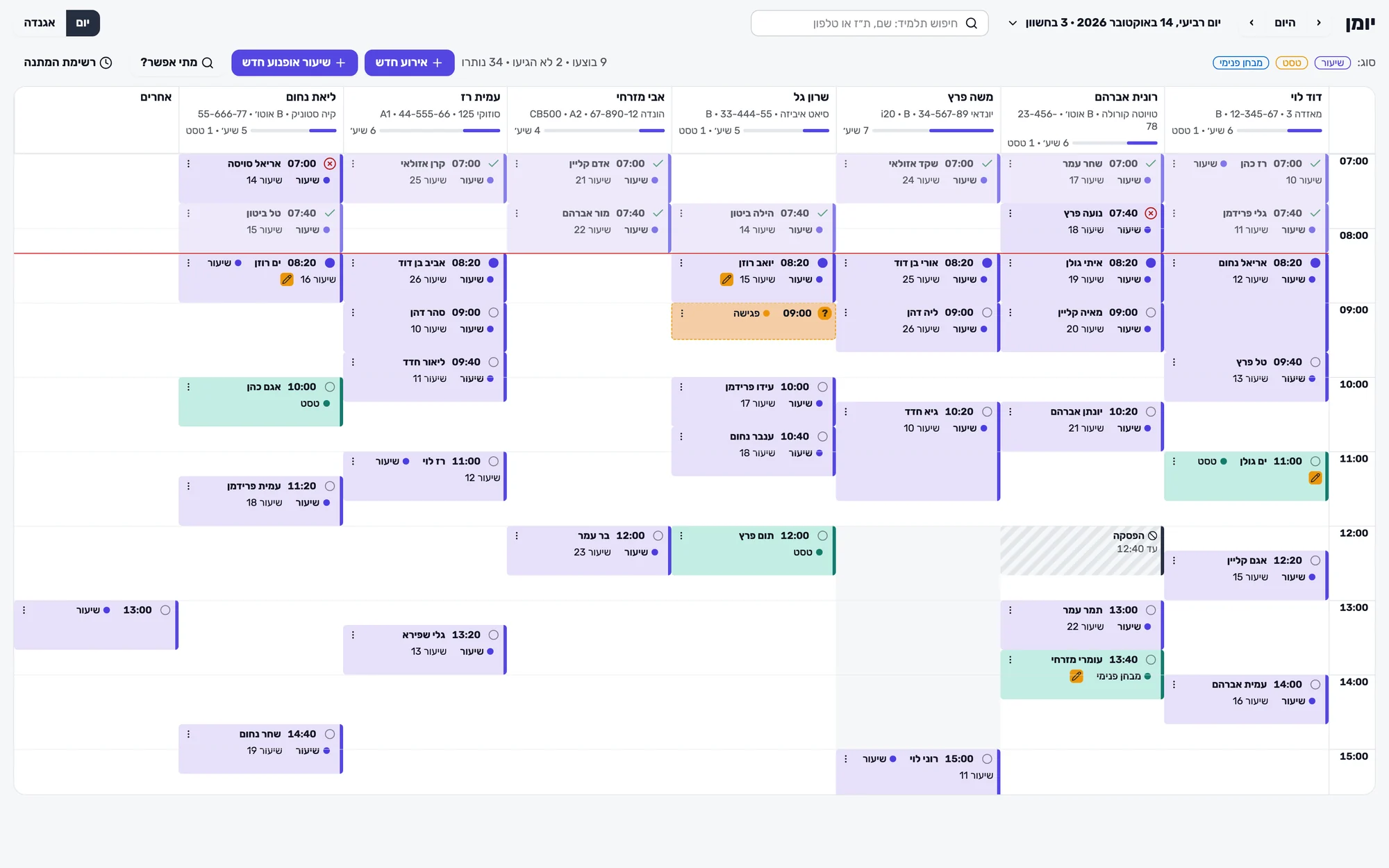
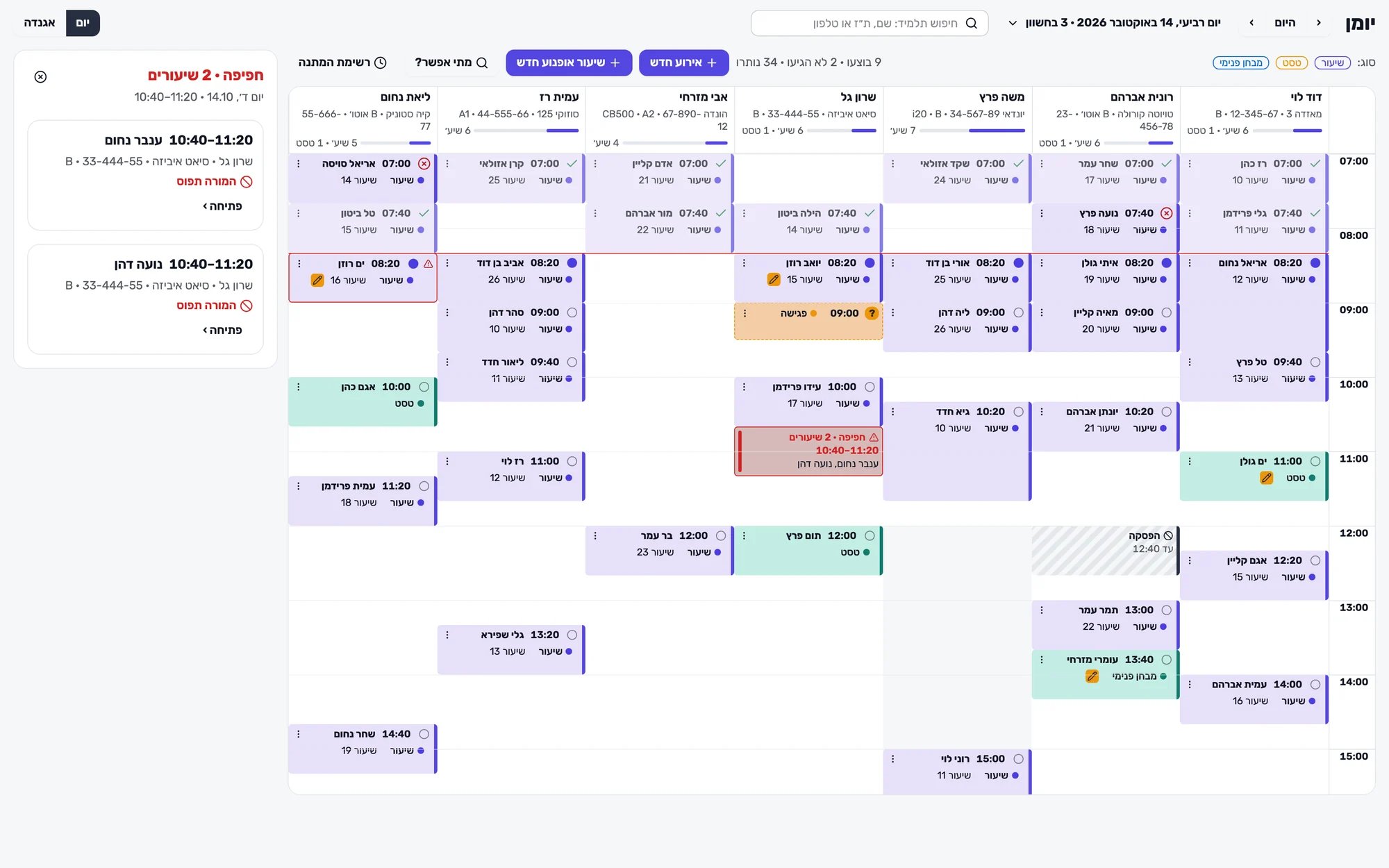
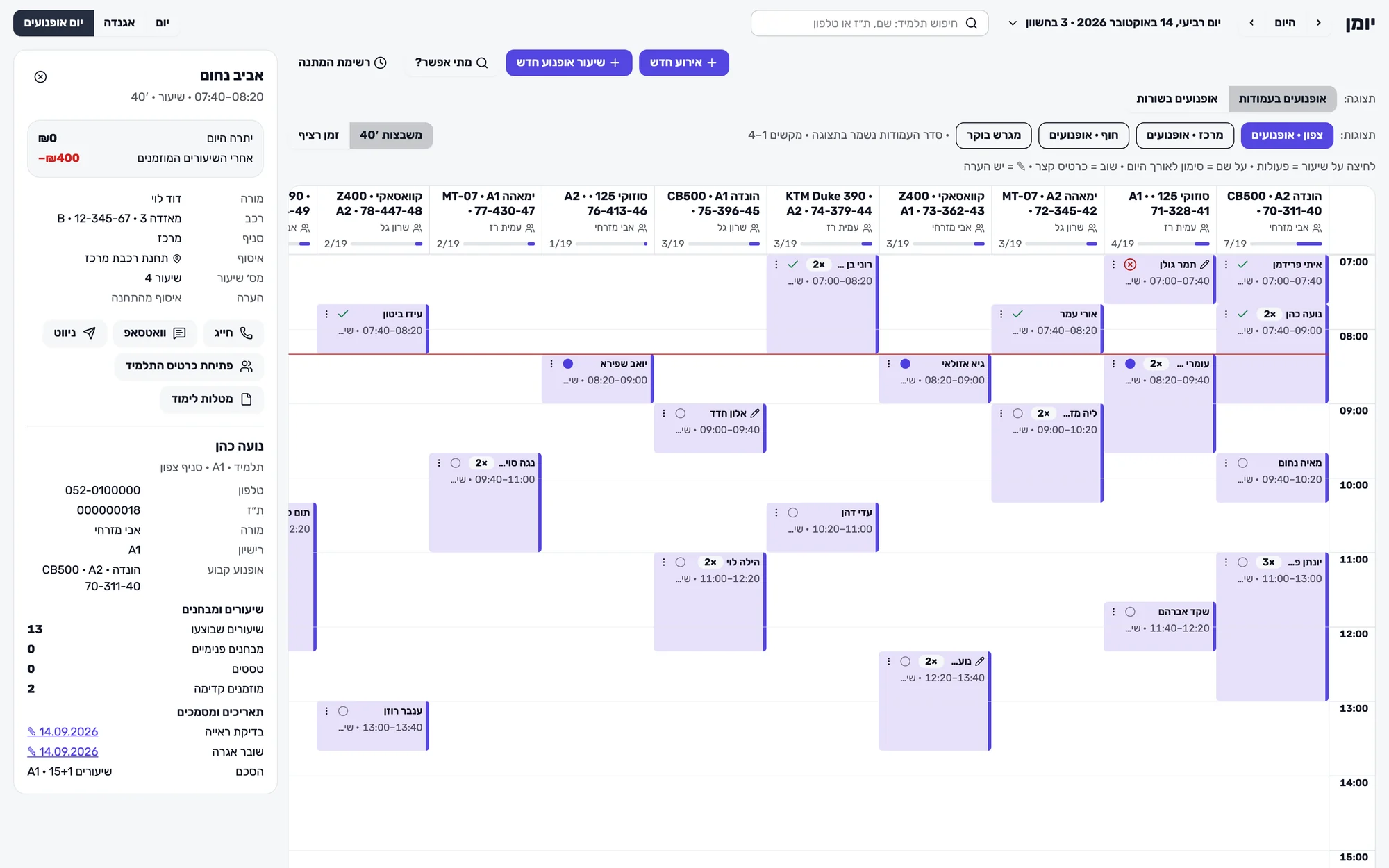
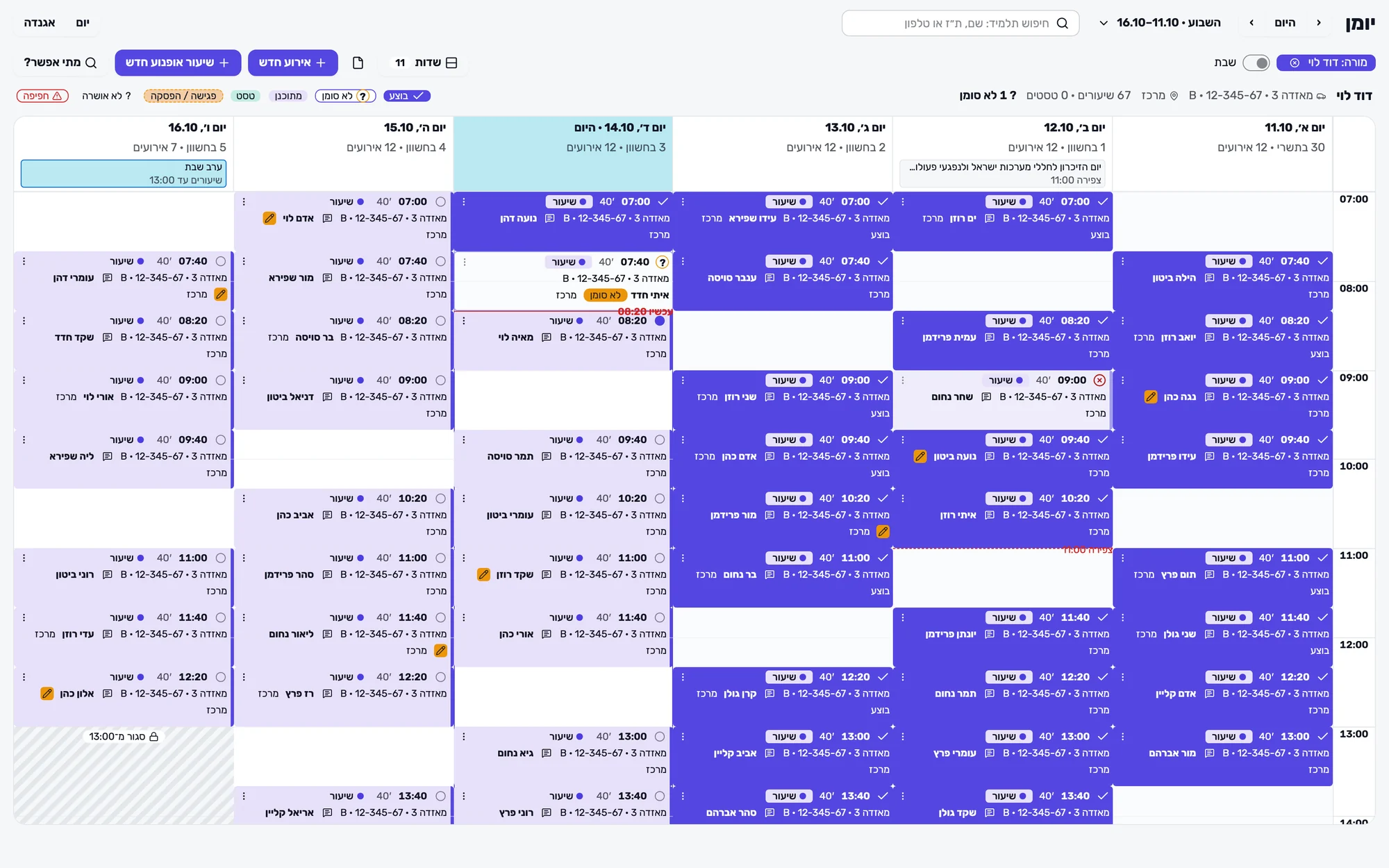
Screenshots from the products · All data is illustrative and fictional
Tools for everyday work
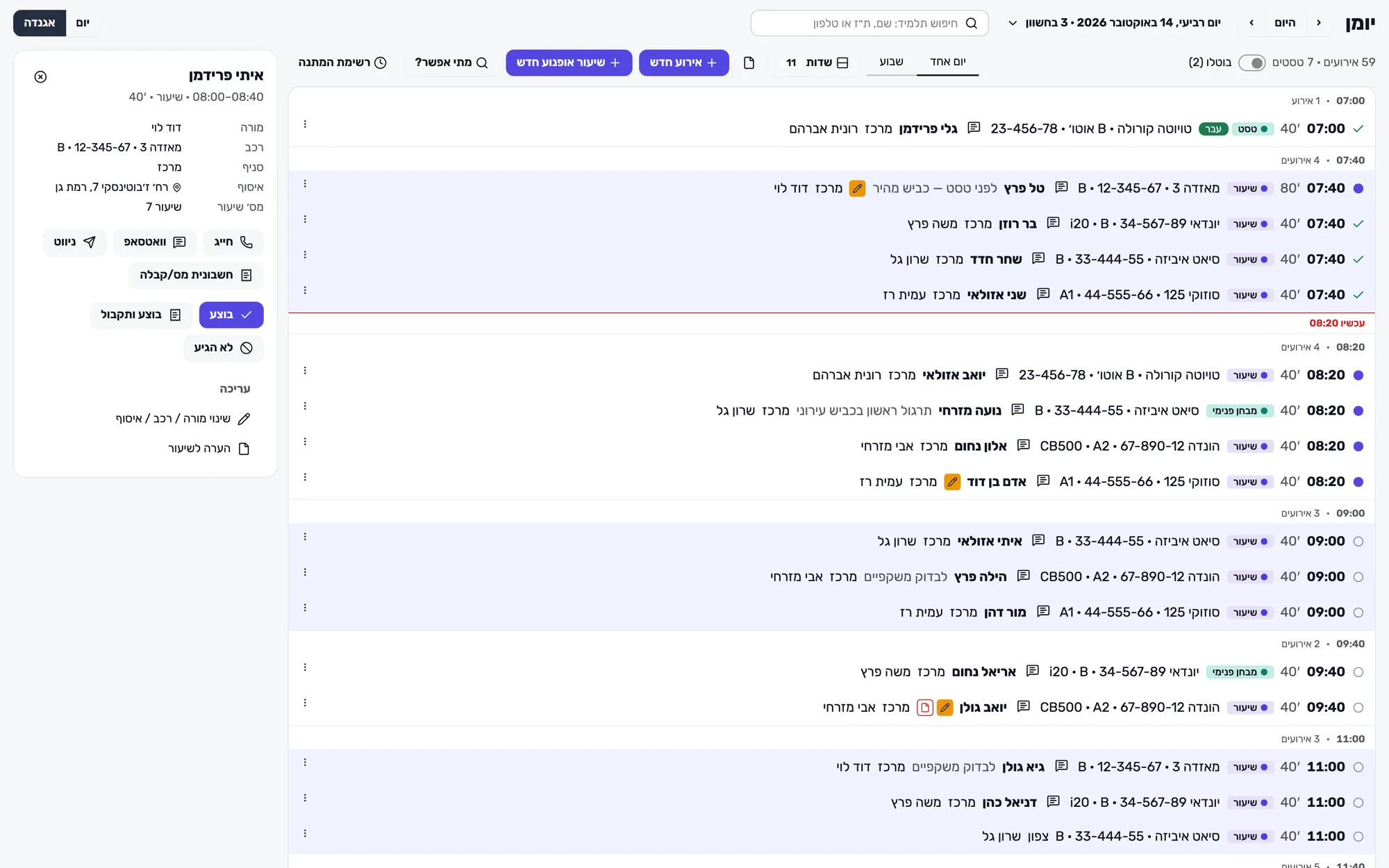
One calendar for the office, the instructors and the vehicles
Day, week and list views, alongside a day view for motorcycles. You can save views and adjust hours, fields, instructors and vehicles to the way the school works.
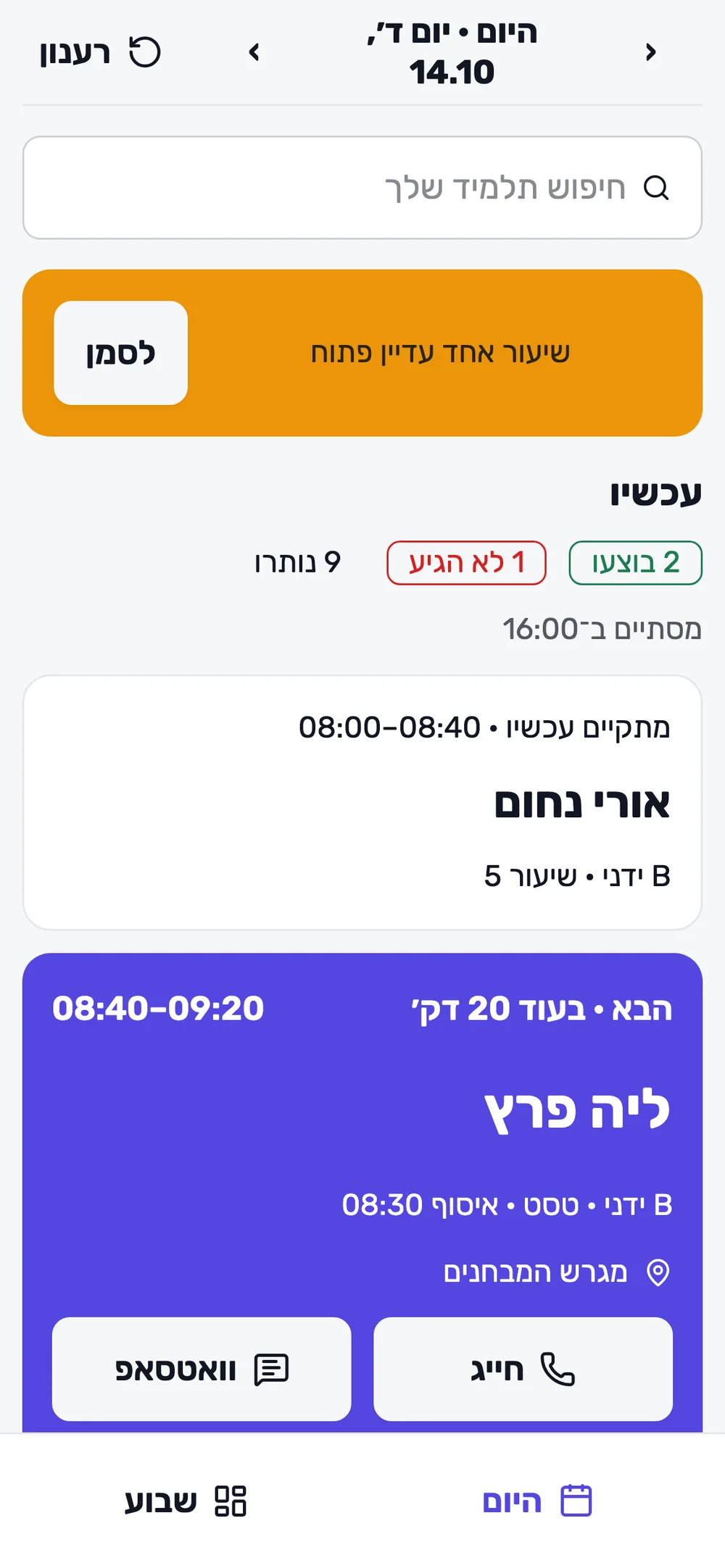
- Opening a lesson shows the instructor, vehicle, branch, pick-up point, lesson number and notes, with call, WhatsApp and navigation actions.
- Availability checks for the instructor, vehicle and student, marking of overlaps and suggested free times to resolve them.
- When a lesson is booked, details are taken from the student file, and the price is calculated according to the agreement.
- Blocked time for garage visits, time off and branch assignment are part of the calendar. Cancellation reasons and charging rules are set in the settings.
From the office to the car and the training yard
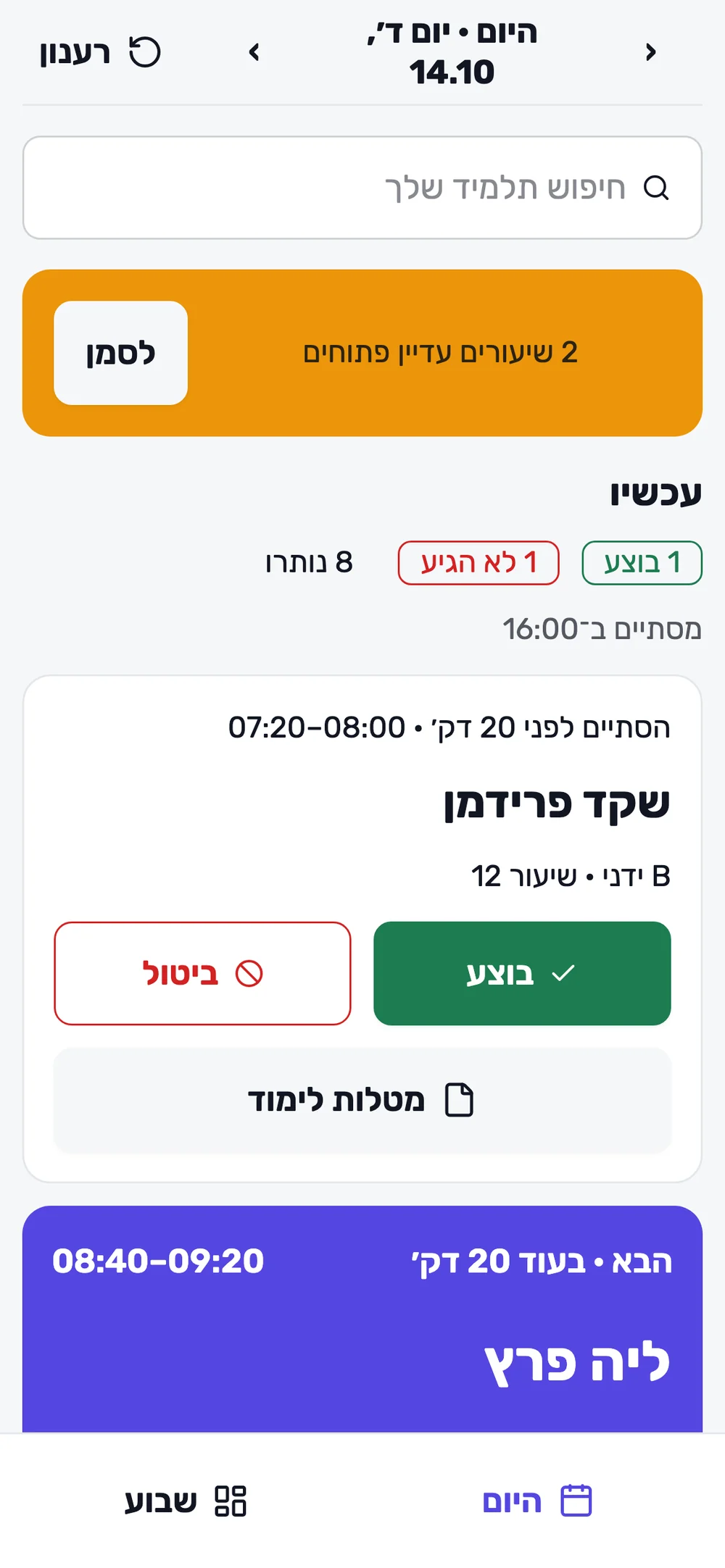
Instructors also work in the browser on their phone: what is happening now, what the next lesson is and which actions need to be completed.
- Marking lessons as done, taking payment, booking and changing lessons, according to the instructor's permissions.
- Learning tasks, on-screen signatures, PDF documents and an odometer log for each vehicle.
- A motorcycle board by vehicle, road and training yard lessons, classes A1, A2 and A, and training yard instructors.
- Student registration by school staff, opening student files and assigning pricing agreements.
Payments, cash boxes and expenses in one picture
Financial documents, balances and transactions are linked to students, instructors and branches.
- Invoices, receipts, credit notes and proforma invoices; different payment methods, and combining them in one document.
- Sending payment links to students by SMS, email or QR, according to the setup of the card processing service.
- Agreements and price lists by branch and licence class, packages, balances and student ledgers.
- Petty cash per branch, instructor cash boxes and confirmation of cash handed over to the office; commissions and office charges.
- Funding bodies and payment requests; expenses by supplier and type, attached documents and standing orders.
- Allocation numbers when issuing the relevant documents, subject to the appropriate connection and permissions.
Dozens of reports, for everyone who needs to see them
Reports by branch, instructor and period, with export to PDF, Excel and CSV depending on the report and permissions.
- Documents, payments, VAT and the PCN874 file, alongside export in the unified format for filing reports.
- Debtors, transactions and student ledgers, lessons and driving tests, and monthly and annual activity.
- Expenses, cash boxes, deposits, commissions, instructor income and debts; branch summaries and profit and loss.
- View access for the accountant, according to the permissions granted to them.
More information for students, more control for staff
The student portal shows personal information and allows payments and requests, according to the school's settings.
- Registration request, upcoming lessons and history, balance, ledger, and invoices and receipts.
- Requests for a lesson or a cancellation, and offers from a waiting list, according to the school's approval rules.
- SMS or email reminders before a lesson, according to the settings; opening a WhatsApp chat from the calendar.
- Detailed permissions by role and scope, amount limits and approval requirements for discounts and credits.
- An activity log, and permission changes with verification and notifications; access tailored to the instructor, the office, the manager and the accountant.
Use of payment services and of the connection to the Israel Tax Authority is subject to the appropriate settings and permissions.
Questions and answers
Customisation, team and permissions
How far can the system be adapted to the school?
You can adapt working hours, fields and saved calendar views, instructors, vehicles and branches, cancellation reasons, price lists and agreements, and the portal settings.
How are staff permissions set?
Through detailed permissions and role templates, with a scope such as the whole school, my branches or my students. You can also set amount limits and quotas, depending on the action.
Can an instructor see only their own students?
Yes. Access can be limited to their own students, lessons and cash box, and actions can be granted according to their role and the permissions set.
How are discounts and credits controlled?
You set limits and permissions for actions. Actions that go beyond the relevant rules wait for a manager's approval, and actions are recorded in the activity log.
How are permission changes controlled?
Widening access requires additional verification, and the school's owners are notified of the change. The activity log helps keep track of actions and changes.
Finances, cash boxes and reports
How does it work with the Israel Tax Authority and allocation numbers?
You connect the school in the settings. When a relevant document is issued, an allocation number request is sent, subject to connection and permissions. The request status is shown so it can be followed up and handled.
How do students pay by credit card?
You can send a payment link for the student's file by SMS, email or QR. Payment is made through the card processing company, according to the terminal and service set up for the school.
What does the accountant get?
View access according to permissions, documents and reports by branch and period, a VAT report, the PCN874 file and export in the unified format.
How are petty cash and instructors' cash managed?
Each branch has petty cash with a person in charge, expenses, deposits and reimbursements. Instructor cash boxes and cash handed over to the office are managed with confirmation of receipt.
Are VAT-exempt settings supported?
There are settings for an exempt school, exempt customers and exempt suppliers. The right setting for your business should be decided with your accountant.
What happens when an outside body funds the lessons?
You set up a funding body, issue a payment request and go on to issue the documents when payment is made, with tracking in the ledger and the student file.
Calendar and daily work
How are double bookings handled?
When a lesson is booked, the availability of the instructor, vehicle and student is checked. Overlaps are shown in the calendar and in a dedicated panel, with free times that help resolve them.
Do I need to install an app?
No. The school system works in the browser, on a computer, tablet and phone. It is a separate system from the local app. The system supports Hebrew, Arabic, Russian and English.
Does it suit a school with motorcycles?
Yes. A board by vehicle, road and training yard lessons, classes A1, A2 and A, training yard instructors and activity reports, alongside vehicle management in the same system.
What happens when a lesson is cancelled at the last minute?
You set cancellation reasons and charging rules, a late-cancellation window and waiver quotas, according to the school or branch and the user's permissions.
Do students get reminders?
You can turn on SMS or email reminders before the lesson, according to the event type and the chosen channel. WhatsApp opens as a chat from within the system, and the user does the sending.
The portal and moving to the system
What can a student do in the portal?
View lessons, history, balance, ledger and documents; pay, submit registration, lesson or cancellation requests, and receive offers from a waiting list, according to the school's settings.
Can a student book their own lesson?
The student submits a request, and the instructor or the office approves it according to the school's approval rules.
How do we move from our current system?
Contact us to review the data, documents and balances that need to be moved and to arrange the move, before you change the system you work with.